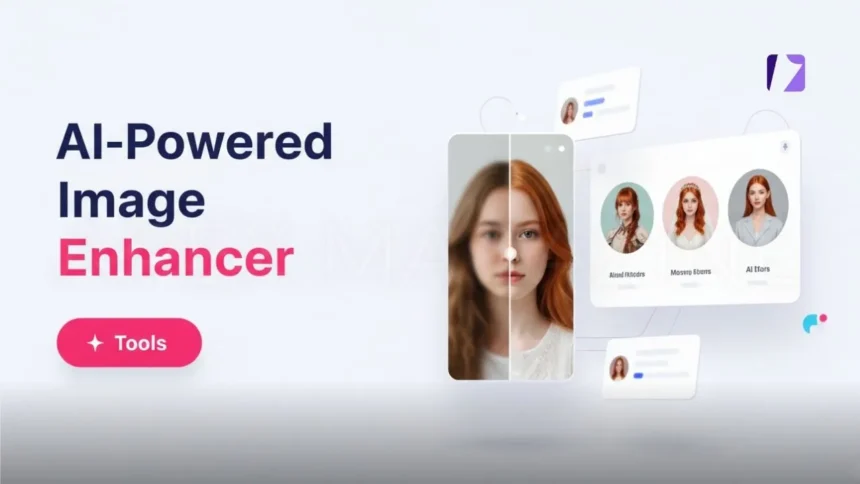
If you’ve ever tried to upscale a photo only to end up with a blurry mess, you know the frustration. Luckily, modern AI image enhancer tools have changed the game completely. Whether you need to sharpen a portrait, clean up noise from a low-light shot, or do something more creative like a face swap – these tools can handle it all in seconds. Honestly, once you try them, going back to manual editing feels painfully slow.
In this guide, I’ll walk you through how AI image enhancers actually work, what features to look for, and how to get the best results out of them.
What Is an AI Image Enhancer and How Does It Work
So, an AI image enhancer is basically a tool that uses artificial intelligence to improve your photos – think sharper details, less noise, better colors, and improved lighting. Instead of you spending hours tweaking sliders in Photoshop, the AI does the heavy lifting based on what it’s learned from millions of images.
The core technology behind these tools relies on machine learning algorithms. They analyze pixel patterns – things like textures, edges, and lighting conditions – and then reconstruct or enhance details to make your image look cleaner and more natural. It’s kind of like the AI already knows what a “good” photo should look like, and it pushes yours in that direction.
Under the hood, most of these tools use something called convolutional neural networks (CNNs). These are really good at recognizing visual patterns, which makes them perfect for image processing. Two key techniques power the magic: super-resolution and denoising. Super-resolution is what lets you increase image resolution by predicting and generating pixels that weren’t there before. Denoising strips away grain and noise while keeping the actual important details intact.
What makes AI upscaling so much better than traditional methods is that it’s content-aware. Old-school interpolation just averages nearby pixels, which gives you that soft, mushy look. AI upscaling actually predicts what new detail should be there based on patterns it learned during training. The result? Way sharper edges and much more realistic textures.
Core Features You’ll Find in AI Image Enhancer Tools
Modern AI photo enhancer tools pack a surprising amount of functionality into a single platform. Here’s what most of them can do:
Upscaling is probably the most popular feature. You can enlarge images up to 8x or even 16x while keeping things sharp. The AI reconstructs missing details instead of just stretching pixels, so you don’t get that ugly blurry look.
Denoising is a lifesaver for high-ISO shots or heavily compressed images. It removes grain while preserving the real details in your photo.
Face enhancement is another big one. These tools can detect faces and sharpen features like eyes and skin texture without making things look weird or plasticky. Great for portraits, selfies, and group photos.
Background removal uses smart segmentation to separate your subject from the background. You can swap it out, make it transparent, or just add a solid color – takes seconds instead of the tedious manual masking we all used to do.
Lighting and color correction handles exposure issues, color casts, and white balance automatically. Some advanced tools even let you change light direction and intensity, almost like you’re moving studio lights around after the fact.
Sharpening and unblurring fixes motion blur, lens blur, and soft focus. An AI image editor with prompt goes even further – you can type instructions like “remove power lines” or “add warm sunlight” and the tool makes those targeted edits for you.
Face swap AI technology is also becoming more common. It maps facial features between images, which can be really useful for creative projects and content creation.
And for anyone working with old photographs, there are restoration features that repair scratches, fix faded areas, and even colorize black-and-white images.
How to Use AI Image Enhancers for Best Results
Getting started is straightforward – it’s usually a three step process. Upload your image, let the AI analyze and enhance it, then download the result. Most platforms also support batch processing (some handle up to 50 photos at once), which is a huge time saver if you’re working with large collections. For basic enhancements, a lot of tools offer an auto-adjust feature that does everything in one click. From there, you can fine-tune things manually if needed – brightness, contrast, saturation, sharpness, all the usual stuff.
When you’re preparing images for print or large displays, resolution really matters. Look for a ‘Best Quality’ option and upscale to at least 4x. Some tools let you enter specific pixel dimensions if you have exact requirements. One thing worth mentioning is that different image types work better with different AI models. General-purpose models are great for portraits, landscapes, and product photos. But if you’re working with anime or digital illustrations, look for an Art-specific model. And for old or faded photographs, a Restore & Colorize model will give you much better results than a general enhancer.
Beyond the basics, there are some really handy features worth exploring. Uncrop AI tools can expand your image boundaries beyond the original frame – super useful when you need a wider composition. And upscaling combined with noise reduction means you can take a small, grainy photo and turn it into something printable without obvious quality loss.
Wrapping Up
AI image enhancers have gone from a nice-to-have to pretty much essential for anyone who cares about photo quality. They can upscale images up to 16K resolution while keeping details that traditional methods would just destroy. And the best part is you don’t need to be a Photoshop expert to use them.
Start with the basic three-step process, then play around with the specialized models for different types of images. Your old, low-quality photos deserve a second chance – and these tools can deliver results that honestly weren’t possible just a few years back.
Conclusion
AI image enhancers have completely changed how we approach photo editing. What once required advanced skills and hours of manual work can now be done in seconds with impressive accuracy. From upscaling and denoising to face enhancement and background editing, these tools offer a powerful, all-in-one solution for improving image quality.
The real advantage lies in their ability to understand image content and make intelligent adjustments rather than applying generic filters. Whether you’re a content creator, designer, photographer, or just someone looking to improve personal photos, AI enhancers provide fast, reliable, and high-quality results. As the technology continues to evolve, we can expect even more precise and creative capabilities in the near future.
Frequently Asked Questions
What is an AI image enhancer?
An AI image enhancer is a tool that uses artificial intelligence to automatically improve photo quality by adjusting details like sharpness, lighting, and noise.
Can AI really increase image resolution without losing quality?
Yes, AI uses super-resolution techniques to predict and generate new pixels, making images larger while keeping them sharp and detailed.
Are AI image enhancers better than manual editing?
For most basic and mid-level edits, AI tools are faster and more efficient, though manual editing still offers more control for advanced users.
Do these tools work on old or damaged photos?
Yes, many AI enhancers include restoration features that can fix scratches, reduce fading, and even colorize black-and-white images.
Is it safe to upload photos to AI tools?
It depends on the platform. Always check privacy policies to ensure your images are not stored or misused.
Can I use AI image enhancers for professional work?
Absolutely. Many professionals use them to speed up workflows, especially for bulk editing and quick enhancements.
VISIT MORE: APEX MAGAZINE