
Games over the internet, live shows, and voice calls are an important aspect to our current connection. Players communicate with their teammates, streamers with their viewers, and creators with their voices make cool content. However, you do not necessarily need to sound like yourself when talking online.
Many gamers and creators enjoy trying out different voices. Some want to sound like funny characters. Others like dramatic narrators and some just want to keep their real voice private. You can now change your voice live as well while you are talking. One easy-to-use tool for this is Voicy. It is a voice changer for your PC that changes your voice instantly during games, streams, or recordings. Here we will find out what iTop Voicy can do, its main features, and how to set it up for gaming and creating content.
- iTop Voicy: An Amazing Real-Time Voice Changing Tool
- Why Gamers and Creators Use Voice Changers?
- One-Click Voice Change for Audio and Video Files
- Built-In Recording with Noise Reduction
- Create Your Own Voice Styles
- Works with Games, Chat Apps, and Streaming Tools
- Steps to Set Up iTop Voicy for Gaming
- Connect iTop Voicy to Your Game
- Start Playing or Streaming
- Final Thoughts
- Frequently Asked Questions (FAQs)
iTop Voicy: An Amazing Real-Time Voice Changing Tool
iTop Voicy is a voice-changing app made for Windows computers. It uses AI technology to change your voice instantly while you talk into a microphone. This program changes your voice live instead of recording first and changing your voice later. So when you chat in a game or online call, others hear your changed voice right away.
You can use iTop Voicy for many things, like
⦁ Talking in online games
⦁ Live streaming
⦁ Virtual meetings
⦁ Recording voice-overs
⦁ Making social media videos
The app is easy to use with a simple layout that lets beginners quickly try out different voice effects.
Why Gamers and Creators Use Voice Changers?
Voice changers are not just for fun. They have many uses.
⦁ Some gamers like to make funny moments by switching voices during games.
⦁ Streamers use character voices to entertain their audience. Content creators change their voice tone to make stories more exciting.
⦁ Another use of voice changers is to ensure privacy of the real voice of people online. They are allowed to choose a different voice rather than the natural voice.
Due to these reasons that voice changers became extremely popular among gamers and streamers.
Key Features of iTop Voicy to Enjoy
Here are some of its main features that make it great for gaming, streaming, and more. iTop Voicy makes it easy and fun to change your voice anytime you want with all these features.
Real-Time Voice Changing
One of the best things about iTop Voicy is that it changes your voice instantly. This app quickly changes how you sound and sends the new voice to the app you are using. It happens with almost no delay. So, your voice sounds natural, not delayed. This is important when you are talking live.
You can try different voice styles, like
⦁ Deep voices
⦁ Light and playful tones
⦁ Robotic sounds
⦁ Fun character voices
Big Collection of AI Voices
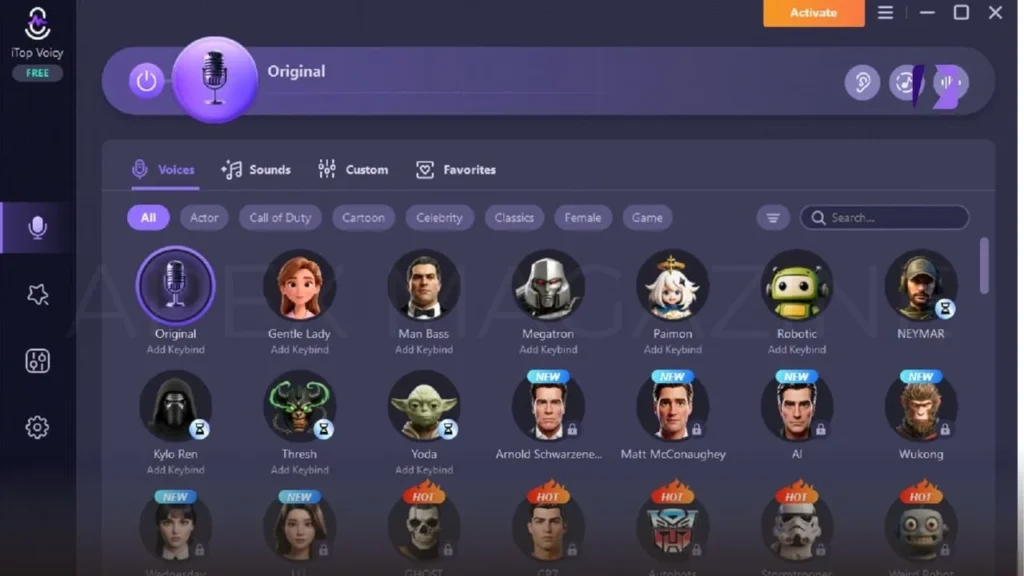
iTop Voicy comes with lots of ready-to-use voice options. Each one has its own unique sound and personality. Some voices sound like cartoon characters, others like dramatic narrators or futuristic robots.
Changing between voices is easy. Just click the one you want and start talking. This is perfect for streamers who want to switch voices on the fly.
One-Click Voice Change for Audio and Video Files
Besides live voice changing, you can also change voices inside audio or video files.
This is handy if you want to
⦁ Change narration in a video
⦁ Give a voice to a character
⦁ Make creative videos for social media
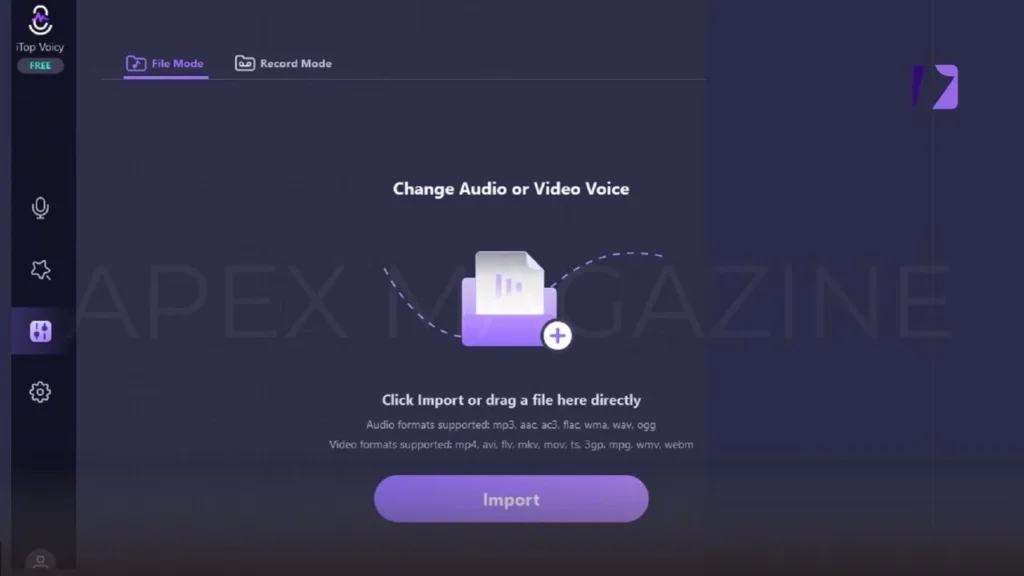
All you have to do is import the file, pick a voice, and click convert. The program will make a new file with the changed voice.
Built-In Recording with Noise Reduction
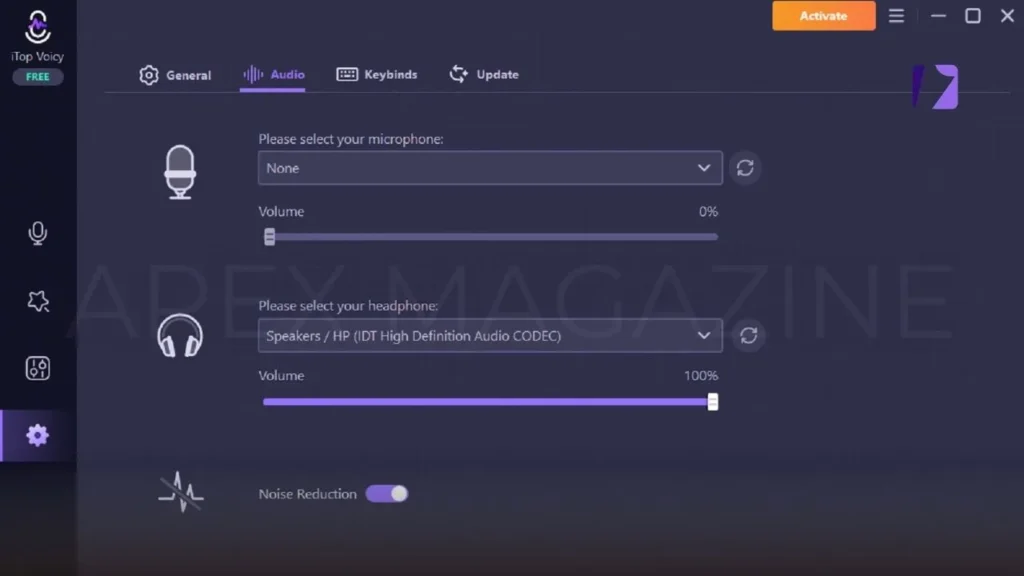
You can also record your voice right inside iTop Voicy using any voice style. The app has noise reduction that clears out background sounds and echoes. This means your recordings sound clean and professional without needing extra editing.
This is great for making podcasts, voice-over videos, audiobooks, and commentary clips.
Create Your Own Voice Styles
You are not limited to the voices that come with the app. You can also create your own. Just upload a voice sample and adjust settings like:
⦁ Pitch (how high or low the voice is)
⦁ Timbre (the unique tone of the voice)
⦁ Emotion (how the voice sounds emotionally)
⦁ Overall tone
When you are happy with your custom voice, save it with a name. This lets you build your own special voice collection.
Works with Games, Chat Apps, and Streaming Tools
iTop Voicy works with many programs that use microphones, including multiplayer games, voice chat applications, streaming software, and online meeting platforms. This compatibility allows gamers, streamers, and content creators to use voice effects across different platforms without complicated setup.
Once you select iTop Voicy as the microphone input inside these apps, your modified voice will be transmitted in real time. Anyone in the game, chat room, or stream will hear the changed voice, making conversations more entertaining and interactive.
Steps to Set Up iTop Voicy for Gaming
Setting up iTop Voicy is quick and easy! Just follow these simple steps to get started.
Download and Install
Go to the official iTop Voicy website and download the installer. Open the downloaded file. Follow the instructions to install the program.
Set Up Your Microphone
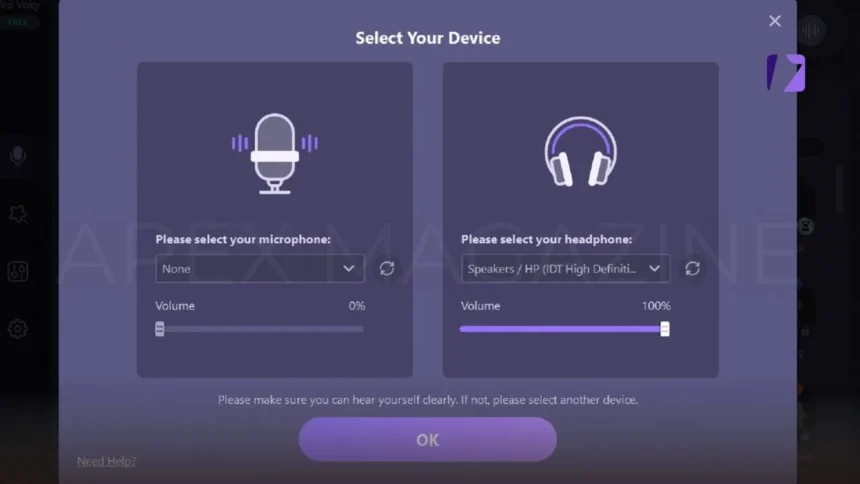
When you open iTop Voicy, go to the audio or sound settings section inside the application. From the list of available devices, select the microphone you want to use for voice changing. This ensures the software captures your voice correctly before applying any voice effects.
After selecting the microphone, speak into it to test the connection. You should see the audio meter moving inside iTop Voicy, confirming that your microphone is working properly and ready to process voice changes in real time.
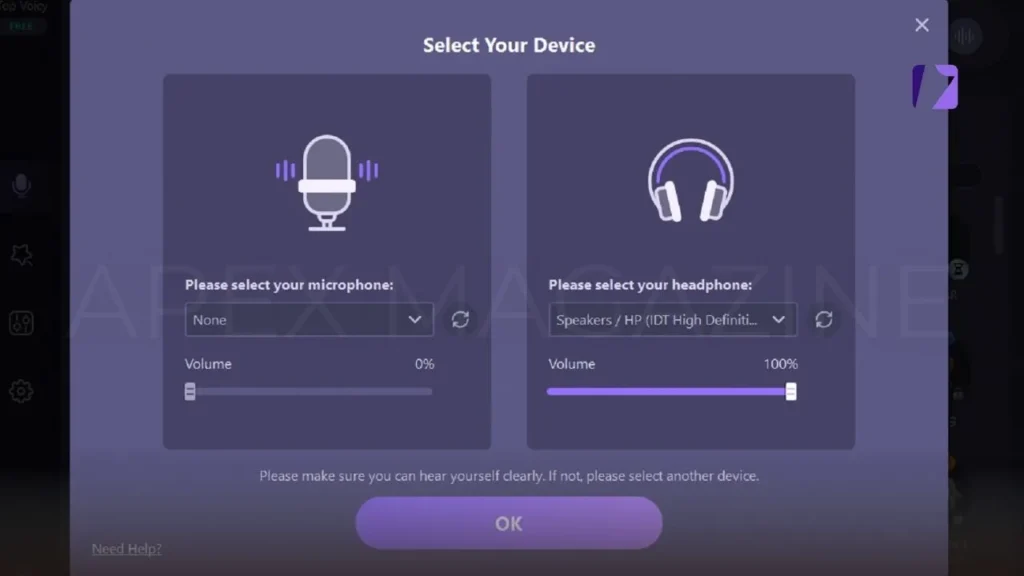
Adjust the input level if it is too low or too high.
Pick a Voice Style
Open the voice library inside iTop Voicy to explore the different voice options available. The library includes a variety of voice styles designed for gaming, streaming, and online conversations. You can browse through the list and click on any voice to hear a quick preview before selecting it.
Once you find a voice style you like, simply choose it and start speaking into your microphone. iTop Voicy will instantly apply the selected voice effect in real time, allowing you to communicate with a completely different sound while playing games or chatting online.
Connect iTop Voicy to Your Game
Open the audio or microphone settings in your game or voice chat application. Look for the microphone input option and select iTop Voicy as your microphone device. After selecting it, save the settings so the application recognizes the new audio input.
Once the setup is complete, any sound captured by your microphone will pass through the voice changer before reaching the game or chat platform. This means other players will hear the modified voice instead of your original one, allowing you to communicate with a fun or unique voice effect during gameplay.
Start Playing or Streaming
After connecting the software, launch your favorite game or begin your live stream. Speak normally into your microphone, and iTop Voicy will instantly apply the selected voice effect. The real-time processing allows your voice to change without noticeable delay.
You can also switch between different voice filters while playing or streaming. This feature is especially popular among streamers and content creators because it helps keep conversations entertaining and interactive for viewers and teammates.
Final Thoughts
Voice-changing technology has transformed the way people communicate online. Gamers, streamers, and digital creators now use advanced tools to make conversations more engaging and creative during live gameplay, voice chats, and recordings.
With iTop Voicy, users can access AI-powered voice effects, modify voices in audio files, record audio with built-in noise reduction, and even create custom voice profiles. These features provide a flexible and fun way to personalize your voice while interacting with others online.
Frequently Asked Questions (FAQs)
How do I connect iTop Voicy to my game or chat app?
Select iTop Voicy as your microphone in the app’s audio settings.
Can I use iTop Voicy while streaming?
Yes, it works with most streaming software for live voice changes.
How do I pick a voice style?
Open the voice library, preview voices, and select one.
Does iTop Voicy work with all games and chat apps?
It works with most games, chat apps, streaming tools, and meeting platforms.
Can I switch voices while playing or streaming?
Yes, you can change voices in real time.
VISIT MORE: APEX MAGAZINE