
Not that long ago, making a game felt out of reach for most people. You needed to know how to code, understand game engines, and deal with a lot of technical setup before you could even see something working on screen. That gap is starting to close.
A new wave of AI tools is changing how games are built. Instead of writing everything from scratch, people can now describe what they want and let the system handle a big part of the structure. It does not remove the need for thinking or design, but it does remove much of the friction that used to stop people from getting started. Tools like MeDo are part of this shift. They are not just speeding things up. They are changing who gets to participate.
What Is MeDo?
At a basic level, MeDo is an AI-powered game builder.But calling it just a “builder” does not fully explain what it does. Instead of asking users to write code, it works more like a translator between ideas and systems. You describe the game you want, and the platform turns that description into something playable. That approach is sometimes called “vibe coding.” It sounds informal, but the idea is simple. You focus on the experience you want to create, not the technical steps needed to build it. Because of that, MeDo sits somewhere between no-code and low-code tools.
You do not need programming knowledge to begin, but you still have control over how things evolve. What makes this interesting is who it opens the door to. Indie developers, students, designers, and even people just experimenting with ideas can all start building without going through a traditional learning curve first.
Why AI-driven game development is picking up speed
There is a reason more people are paying attention to this space. Traditional game development takes time. Even simple projects can stretch across weeks or months, especially when you are learning as you go. That time cost alone filters out a lot of potential creators. AI tools change that dynamic. They allow people to test ideas quickly, adjust mechanics on the fly, and build early versions without committing to long development cycles.
That makes experimentation easier. You can see this shift in places like game jams and AI coding challenges. More projects are being built with AI assistance, not because it replaces creativity, but because it lowers the cost of trying something new. And when trying becomes easier, more people try.
Why some developers are moving toward MeDo
There are already many AI coding tools available, but most of them still operate at the level of code snippets or small features. They help, but they do not always get you to something usable. MeDo takes a different approach. Instead of focusing on fragments, it aims to generate working structures. Not just pieces of a game, but something you can actually run, test, and iterate on.
A big part of that is the way interaction works. You are not navigating menus or configuring systems step by step. You are describing what you want, and the platform builds around that. For beginners, that removes a lot of uncertainty. For more experienced users, it becomes a fast way to prototype ideas without slowing down.
What makes the experience feel different
- Build Games Without Coding
Instead of relying on traditional programming, MeDo lets users create games through an AI-assisted workflow. This makes it possible to start building even without any coding experience.
- Fast Prototyping and Testing
With AI handling much of the structure, developers can put together playable versions quickly. This makes it easier to test gameplay ideas early without spending weeks on setup.
- Runs Directly in the Browser
MeDo works as a web-based tool, so there is no need to install software or configure environments. Everything can be accessed and used online.
- Natural-Language Game Creation (Vibe Coding)
Rather than writing code, users describe how the game should work. The system then translates those ideas into logic and structure, making the process feel more intuitive.
- Automatic Backend and System Setup
Things like databases, APIs, and backend logic are handled behind the scenes. This reduces the need for manual configuration and lets users focus on the game itself.
- Flexible Pricing with Low Entry Barrier
MeDo uses a credit-based system instead of forcing users into immediate subscriptions. New users get 300 credits when signing up, plus 100 credits each day just by logging in, so they can start building at no cost.
Additional credits can also be earned through marketplace activity. For users who want more capacity, paid plans begin at $20 per month, offering a straightforward upgrade path without limiting early experimentation.
What you can actually build with it
Although it is positioned as an AI game builder, the range is wider than just games.
People use it to create small interactive projects, early-stage game concepts, and even more structured applications. Some use it for experiments, others for real products.
Common examples include:
- Simple 2D games and prototypes
- Interactive experiences
- Small web-based applications
- Creative experiments
- Early product ideas
What matters is that these are not just mockups. They can be played, tested, and shared.
Quick Step-by-Step guide: How to Build a Game with AI
Let’s see a simple example. In this guide, we will build a game to show how to build a game with AI using MeDo.
Step 1: Describe the Idea and Generate
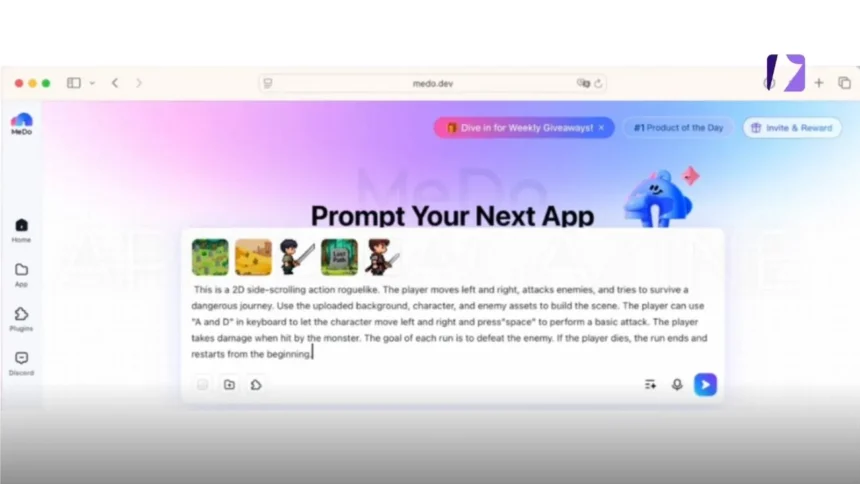
First, describe the gameplay, visual setup, and player interaction in one prompt. This helps MeDo understand both the game structure and how the player interacts with it. This is a 2D side-scrolling action roguelike. The player moves left and right, attacks enemies, and tries to survive a dangerous journey. Use the uploaded background, character, and enemy assets to build the scene.
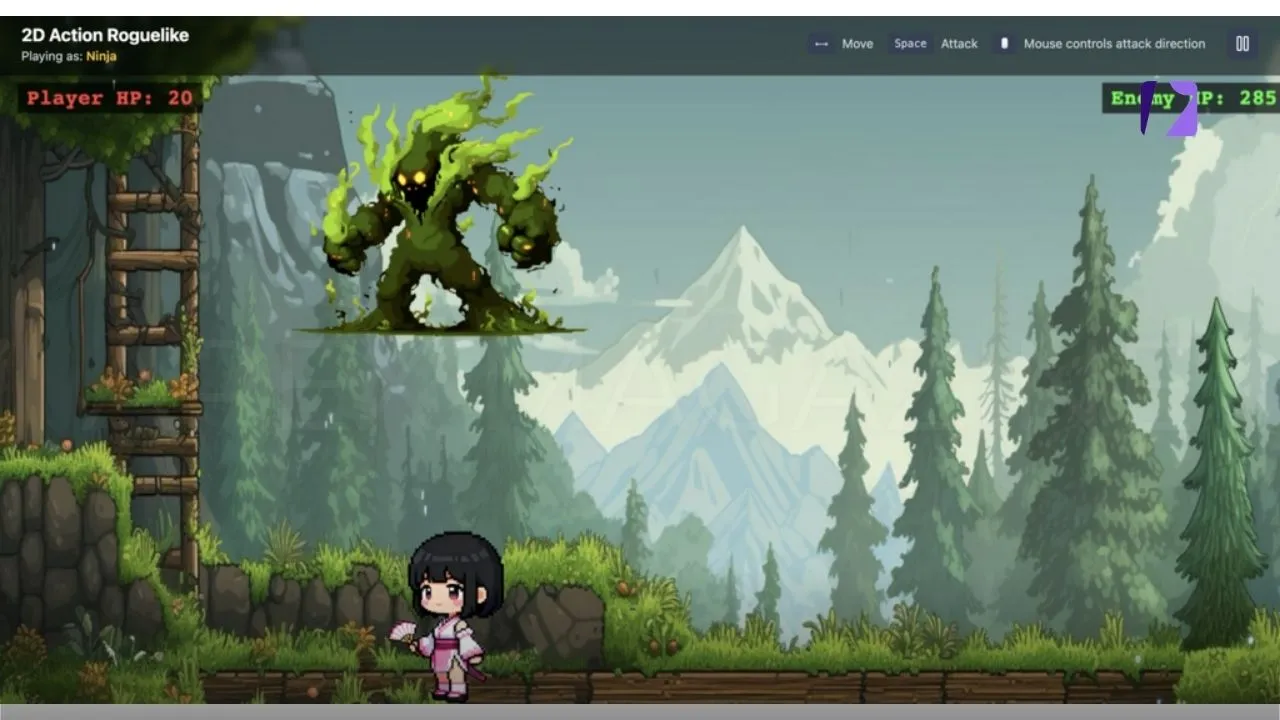
The player can use “A and D” in keyboard to let the character move left and right and press “space” to perform a basic attack. The player takes damage when hit by the monster. The goal of each run is to defeat the enemy. If the player dies, the run ends and restarts from the beginning. After confirming the prompt, MeDo generates the first playable version of the game, including the basic mechanics and scene setup.
Step 2: Refine the Design and Add Details
You can improve the game by adjusting the visuals or adding more levels.
The three buttons should be located in the lower part of the screen, and their colors should be dark green, brown, and gray. Add multiple levels, with the difficulty increasing from one level to the next.
Step 3: Test and Publish
Finally, test the game and adjust anything that needs improvement. Once everything works as expected, the game can be published.
Conclusion
AI is not replacing creativity in game development. If anything, it is making it easier to act on it.
Tools like MeDo reduce the distance between an idea and something you can actually try. They remove enough of the technical barrier to let more people participate, without taking control away from the creator.
For beginners, that means getting started is no longer the hardest part.
For experienced developers, it means moving faster when testing new ideas.
Either way, the process is changing. And for the first time, building a game feels less like a technical task and more like a creative one.
VISIT MORE: APEX MAGAZINE