
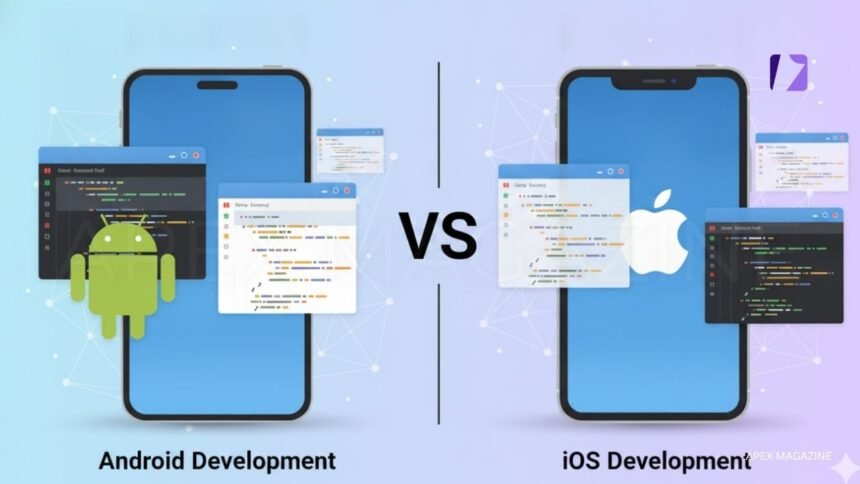
Operating system boundaries are becoming less rigid. Whether an app is built for Windows, macOS, iOS, or Android, you expect seamless access across platforms. One common limitation Mac users face is the inability to run Android apps directly on macOS. This is where an android emulator for iOS solution becomes essential. Emulators allow you to install, run, and test Android applications directly on your Mac by simulating an Android environment within macOS.
If you are a developer debugging a mobile app, a QA engineer evaluating performance, or a gamer exploring Android-exclusive titles, emulators provide flexibility. You can simulate multiple Android versions, screen sizes, hardware types, network speeds, battery conditions, and GPS locations without relying on multiple physical devices.
- What Are Android Emulators?
- What Are the Advantages of Using Mac Android Emulators?
- How Do Mac Emulators Operate?
- Applications of Android Emulators on Mac
- Challenges of Running Android Apps on Mac with Emulators
- Best Practices for Running Android Apps on Mac with Emulators
- Limitations of Android Emulators for Mac
- Conclusion
What Are Android Emulators?
An Android emulator is software that replicates Android’s operating system and hardware on another device, in this case, your Mac. It transforms your computer into a virtual Android device, including apps, system settings, and simulated sensors such as GPS and camera.
Think of your Mac as hosting a virtual Android phone. You can install applications, simulate different device states, and evaluate behavior across varied conditions without owning multiple physical devices.
Emulators are useful for debugging, QA validation, app optimization, and multi-platform development. You can test different Android versions, screen resolutions, and hardware configurations. Many emulators also support battery simulation, multitouch gestures, and network throttling to closely mimic real-world behavior.
What Are the Advantages of Using Mac Android Emulators?
Before reviewing the key advantages, understand that emulators help reduce dependency on physical devices while increasing flexibility in development and testing.
Improved Accessibility: More users can access Android applications without owning Android devices.
Test Without Physical Devices: You save cost and time by simulating Android environments instead of purchasing multiple devices.
Cross-Platform Compatibility: You can develop on macOS while ensuring compatibility across Android systems.
Support for Older Android Versions: You can install and test outdated Android releases not available on new devices.
Enhanced Gaming Experience: You can play Android games on a larger screen using keyboard and mouse support.
Faster Data Transfer: Emulators allow quicker file exchange compared to USB-connected physical devices.
Custom Hardware Simulation: You can test apps under different hardware configurations.
How Do Mac Emulators Operate?
Android emulators rely on virtualization technology. Below is a simplified breakdown of how they function.
- System Virtualization: The emulator creates a virtual environment capable of running Android’s Linux-based system.
- Hardware Abstraction: Applications behave as though they are operating on ARM processors, GPUs, and sensors through simulated components.
- Platform Translation: Android instructions are translated in real time into commands compatible with macOS.
Applications of Android Emulators on Mac
Android emulators support a wide range of professional and personal use cases.
Mobile App Development
Developers test Android applications during development without switching between devices. Layout, functionality, and performance can be validated on simulated screen sizes and configurations.
Quality Assurance Testing
QA engineers use emulators to test applications across devices, Android versions, and hardware settings. Network speed, battery status, and configuration changes can be simulated to detect UI defects and performance issues early.
Gaming
Mobile gamers run Android titles on Mac systems with enhanced graphics and improved control options.
Cross-Platform Productivity
Professionals access Android-specific applications such as messaging tools or collaboration apps directly on macOS without switching devices.
Challenges of Running Android Apps on Mac with Emulators
While emulators are useful, you should understand the limitations involved.
- Performance Constraints: Emulators require significant system resources. On older or entry-level Macs, performance may lag, especially for graphics-intensive applications.
- Hardware Compatibility Limits: Features such as GPS precision, biometric sensors, NFC, and motion sensors are difficult to replicate accurately.
- Thermal and Battery Simulation Limitations: Emulators cannot precisely reproduce real battery consumption or heat generation patterns.
- High Resource Usage: CPU and RAM usage can increase significantly, especially when running IDEs or other demanding applications simultaneously.
- Restricted Native Integration: Real SIM functionality, Bluetooth pairing, or advanced camera testing may not be fully replicated.
Best Practices for Running Android Apps on Mac with Emulators
To optimize performance and reliability, follow these structured recommendations.
- Allocate Adequate Resources: Configure sufficient RAM, CPU cores, and GPU acceleration within emulator settings.
- Enable Hardware Acceleration: Use Apple Hypervisor Framework or Intel HAXM where supported to improve performance.
- Keep Tools Updated: Regularly update Android Emulator, development tools, and system components to improve compatibility and stability.
- Combine Emulator and Real Device Testing: Use physical devices to validate hardware-dependent features such as GPS, battery, or camera performance.
- Create Multiple Emulator Profiles: Configure profiles for different Android versions, display sizes, and hardware setups for faster switching.
- Use Cloud-Based Testing Platforms: Cloud services reduce local resource strain and provide scalable environments. Platforms like Test Mu AI enable you to perform large-scale automated website testing across devices and OS versions without heavy hardware requirements.
TestMu AI (Formerly LambdaTest) is a full-stack agentic AI quality engineering platform that helps teams strengthen testing and accelerate time to market. It offers end-to-end AI agents to plan, author, execute, and assess software quality.
- Automate Repetitive Tests: Integrate emulator environments with automated frameworks to maintain consistent and repeatable validation cycles.
Limitations of Android Emulators for Mac
You may encounter additional limitations depending on your hardware configuration.
- Older Mac Performance Issues: Systems with limited RAM or outdated processors may experience slow execution.
- Apple Silicon Compatibility Challenges: Some emulators have limited support for M1 or M2 processors.
- Intel-Specific Tools: Certain acceleration tools such as HAXM are designed primarily for Intel-based Macs.
- Lack of Hardware Acceleration on Low-End Systems: Without virtualization support, emulator performance decreases significantly.
- Inability to Fully Replicate Real Conditions: Touch response, battery drain, and network instability cannot be perfectly simulated.
Conclusion
Running Android applications on macOS was once difficult, but emulators have made it accessible and practical. Whether you are debugging applications, performing QA validation, or exploring Android games, emulators provide a flexible solution.
As tools continue to evolve and cloud-based platforms enhance scalability, emulator workflows are becoming more efficient. Today, emulators are not temporary solutions but essential components of modern mobile development and testing strategies.
Visit More APEX MAGAZINE