
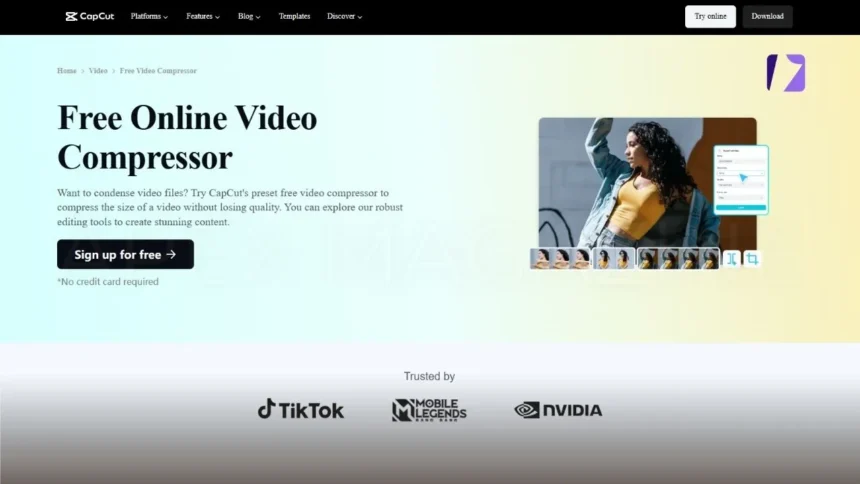
In today’s digital world, video content has become one of the most powerful ways to communicate, share information, and entertain audiences. From social media platforms and online learning to business marketing and personal projects, videos are everywhere. However, high-quality videos often come with large file sizes, which can create problems when uploading, sharing, or storing them. Large video files can slow down websites, take longer to upload, and quickly consume storage space.
This is where a video size reducer and effective video compression techniques become extremely useful. These tools help users reduce file sizes while maintaining acceptable visual quality, making videos easier to manage and distribute online. Reducing video size without losing quality has become an important need for creators, marketers, students, and everyday users. Understanding how these tools work can help you manage video files efficiently while maintaining excellent viewing experiences.
- What Is a Video Size Reducer?
- Understanding Video Compression
- Why Video Compression Is Important
- How Video Size Reducers Work
- Benefits of Using a Video Size Reducer
- Best Practices for Video Compression
- Maintain a Balance Between Size and Quality
- Choose the Right Resolution
- Optimize Bitrate Settings
- Test Before Publishing
- When You Should Use Video Compression
- The Future of Video Compression
- Conclusion
- Frequently Asked Questions
What Is a Video Size Reducer?
A video size reducer is a tool or software designed to decrease the file size of a video. Large video files can be difficult to upload to websites, send through email, or store on devices with limited storage space. By using a video size reducer, users can make videos smaller while still keeping them watchable and clear. These tools work by optimizing different aspects of the video file such as resolution, bitrate, frame rate, and encoding method.
The goal is to remove unnecessary data while preserving the essential quality of the video. Video size reducers are widely used by content creators, students, businesses, and anyone who frequently works with video files. Whether you want to upload videos to a website or send them through messaging apps, reducing file size makes the process faster and easier.
Understanding Video Compression
Video compression is the technical process that allows video files to become smaller. It works by removing redundant or less noticeable information from a video while keeping the important visual details intact. Modern video files contain a massive amount of data because they consist of thousands of individual frames.
Each frame stores visual information, and when combined together, they create the full motion video. Video compression analyzes these frames and identifies patterns or repeated data. Instead of storing the same information multiple times, the compression system stores it more efficiently. This process significantly reduces file size without making the video appear noticeably different to the viewer.
Why Video Compression Is Important
Video compression is the process that makes it possible to reduce the size of video files. Since videos contain thousands of frames, each frame holds visual data that contributes to the overall file size. Without compression, video files would be extremely large and difficult to share or stream online.
Compression technology works by identifying repeated patterns or redundant data within video frames. Instead of storing the same information multiple times, the system stores it more efficiently. This intelligent process significantly reduces file size while maintaining the overall appearance and clarity of the video.
Faster Uploading and Sharing
Large videos can take a long time to upload or send. Using a video size reducer with proper video compression allows files to be uploaded quickly to websites, social platforms, or cloud storage.
Better Storage Management
Devices such as smartphones, laptops, and tablets often have limited storage capacity. Video compression allows users to store more videos without running out of space.
Improved Website Performance
If a website hosts large videos, it can slow down loading times. Compressing videos helps websites run smoothly and improves user experience.
Easier Streaming
Online streaming platforms rely heavily on video compression to deliver smooth playback. Smaller files reduce buffering and make videos easier to watch on different internet speeds.
How Video Size Reducers Work
Video size reducers rely on several technical methods to decrease the file size of videos. These methods include adjusting resolution, reducing bitrate, modifying frame rate, and using advanced encoding technologies. Each technique helps remove unnecessary data while preserving the essential visual quality of the video.
Modern compression tools use intelligent algorithms to analyze video frames and identify patterns. Instead of storing repeated information multiple times, the system stores it more efficiently. This process significantly reduces file size while ensuring that the video still looks clear and professional.
Resolution Adjustment
Resolution determines the number of pixels in a video frame. Higher resolutions like 4K produce larger files. Reducing the resolution slightly can significantly decrease file size.
Bitrate Optimization
Bitrate refers to the amount of data processed per second in a video. Lowering the bitrate carefully can reduce file size while maintaining acceptable quality.
Frame Rate Reduction
Frame rate represents the number of frames displayed per second. Slightly lowering the frame rate can make the video smaller without creating noticeable changes in playback.
Advanced Encoding
Modern video compression systems use advanced encoding techniques that store visual information more efficiently. These encoding methods analyze patterns between frames to eliminate unnecessary data.
Benefits of Using a Video Size Reducer
One of the biggest benefits of using a video size reducer is saving storage space. Compressed videos occupy much less space on devices such as smartphones, laptops, and external drives. This allows users to store more videos without quickly running out of storage capacity.
Saves Storage Space
Compressed videos occupy much less storage space on devices and servers. This allows users to keep more content without worrying about storage limits.
Faster File Transfers
Smaller video files are easier to send through email, messaging apps, and cloud platforms. File transfers become faster and more reliable.
Improved Content Distribution
Content creators who publish videos online benefit greatly from video compression. Smaller files upload faster and stream more smoothly on different platforms.
Better Device Compatibility
Large video files may not play smoothly on older devices. Compressing videos helps ensure compatibility across smartphones, tablets, and computers.
Best Practices for Video Compression
When compressing videos, it is important to maintain a balance between file size and video quality. Excessive compression can cause noticeable quality loss, including blurry visuals and reduced detail. Choosing the right compression settings helps ensure the video remains clear while still reducing file size effectively. To achieve the best results when reducing video size, it is important to follow some best practices.
Maintain a Balance Between Size and Quality
Over-compressing a video can reduce its quality. The key is finding the right balance between file size and visual clarity.
Choose the Right Resolution
If a video is primarily viewed on mobile devices, extremely high resolutions may not be necessary. Lower resolutions can still provide excellent viewing experiences.
Optimize Bitrate Settings
Carefully adjusting bitrate settings helps maintain video quality while reducing file size.
Test Before Publishing
Before uploading compressed videos, it is helpful to preview them to ensure the quality remains acceptable.
When You Should Use Video Compression
Video compression is useful in many everyday situations. Content creators often compress videos before uploading them to websites, social media platforms, or streaming services. This helps reduce upload times and ensures smoother playback for viewers across different devices.
Businesses, students, and professionals also benefit from video compression when sharing presentations, tutorials, or marketing materials. By reducing file size, videos become easier to distribute while maintaining the quality needed for effective communication.
The Future of Video Compression
As technology continues to evolve, video compression techniques are becoming more advanced and efficient. New encoding standards and algorithms are constantly being developed to reduce file sizes while preserving higher levels of visual quality.
These innovations are especially important as video resolutions continue to increase, including 4K and even 8K content. Future compression technologies will make it easier for creators and businesses to handle high-quality video content without worrying about large file sizes.
Conclusion
Managing large video files can be challenging, especially as video content becomes more common across digital platforms. A reliable video size reducer combined with effective video compression techniques helps users reduce file sizes while maintaining good visual quality.
By understanding how these tools work and applying the right compression practices, users can make their videos easier to upload, share, and store. Whether for personal use, education, or business marketing, video compression ensures efficient content management in today’s digital world.
Frequently Asked Questions
What is a video size reducer?
A video size reducer is a tool that decreases the file size of a video while maintaining acceptable visual quality. It helps make large video files easier to upload, store, and share across different platforms.
Does video compression reduce video quality?
Video compression can slightly reduce quality, but modern compression tools are designed to minimize visible changes. When done correctly, the video remains clear while the file size becomes significantly smaller.
Why are video files usually very large?
Video files contain thousands of frames, and each frame stores visual data. High resolutions, high frame rates, and large bitrates all contribute to larger file sizes.
When should I reduce video file size?
You should reduce video size when uploading to websites, sharing through email or messaging apps, or storing videos on devices with limited storage space.
VISIT MORE: APEX MAGAZINE