
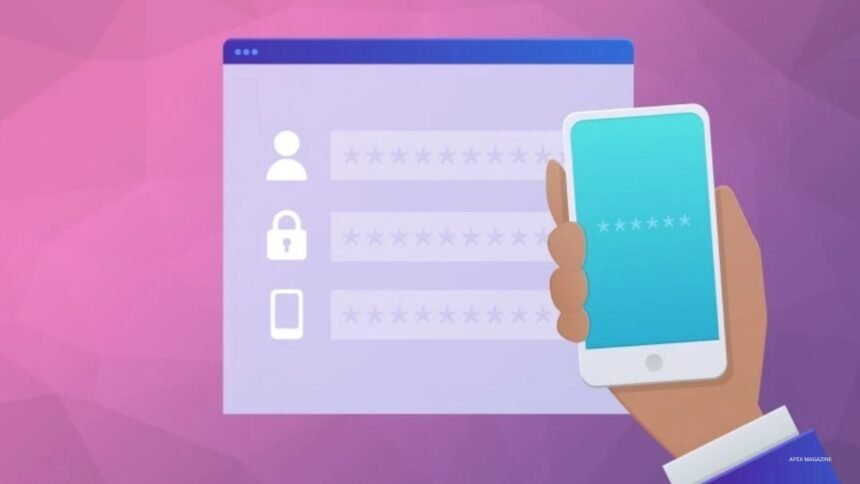
Two-factor authentication (2FA) is a security method that requires two different forms of verification before allowing someone to access an account. It adds another layer of protection beyond a username and password. Even if someone discovers your password, they may still need a second verification method to sign in.
This method uses different types of information to confirm your identity. These can include something you know, something you own, or something unique to you. Many websites, banking services, email platforms, and business applications now offer 2FA to help protect user accounts.
- How Does Two Factor Authentication Work?
- Understanding the Three Authentication Factors
- Common Types of Two Factor Authentication
- SMS and Text Message Verification
- Authenticator Applications
- Push Notification Authentication
- Hardware Security Keys
- Passkeys and Biometric Authentication
- Why Is Two Factor Authentication Important?
- Benefits of Two Factor Authentication
- Limitations and Security Risks of 2FA
- Two Factor Authentication vs. Multi Factor Authentication
- How to Enable Two Factor Authentication on Your Accounts
- Best Practices for Using Two Factor Authentication
- What Happens If You Lose Your Authentication Device?
- Two Factor Authentication for Businesses
- Common Two Factor Authentication Mistakes to Avoid
- The Future of Two Factor Authentication
- Conclusion
- Frequently Asked Questions
How Does Two Factor Authentication Work?
Two-factor authentication works through a simple verification process. First, you enter your username and password as usual. The service then requests another form of authentication before granting access. Depending on your settings, this could be a temporary code, a mobile notification, a security key, or a biometric check.
For example, imagine signing in to your email account from a new computer. You enter your password, but the platform asks you to approve the login through your phone. Once you complete that additional step, access is granted. This process helps prevent unauthorized sign-ins when someone has only your password.
Understanding the Three Authentication Factors
Security systems generally use three main authentication factors. The first is something you know, such as a password or PIN. The second is something you have, such as a smartphone, security key, or authentication token. The third is something you are, which includes biometric characteristics such as fingerprints or facial recognition.
Two-factor authentication combines two distinct factors from these categories. For example, a password and a fingerprint represent knowledge and biometric verification. However, entering a password and answering another security question usually does not provide two independent authentication factors because both rely on information you know.
Common Types of Two Factor Authentication
There are several ways to complete a second verification step. Each method offers a different balance of convenience, accessibility, and security. Some services allow users to choose their preferred method, while others provide only a limited selection.
Understanding these options helps you select a suitable approach for your accounts. Modern security guidance generally favors phishing-resistant methods, such as passkeys and hardware security keys, over traditional text-message codes.
SMS and Text Message Verification
SMS verification sends a temporary code to your registered mobile phone number. After entering your password, you receive a text message containing a short numerical code. You then enter that code to complete the login process.
This method is familiar and easy to use because most people already have access to a mobile phone. However, SMS codes can be exposed through phishing, SIM-swapping attacks, or weaknesses in mobile networks. Therefore, SMS verification is better than password-only protection, but stronger alternatives should be considered when available.
Authenticator Applications
Authenticator applications generate temporary verification codes on your smartphone. These codes usually change every 30 seconds, allowing you to complete login verification without waiting for a text message. Google Authenticator and Microsoft Authenticator are examples of applications that support authentication features.
To use this method, you normally scan a QR code during account setup. The application then generates codes associated with that account. This approach avoids dependence on mobile text delivery, although manually entered codes can still be stolen through convincing phishing attacks.
Push Notification Authentication
Push notification authentication sends a login approval request directly to an authentication application on your registered device. Instead of typing a code, you receive a notification asking whether you are trying to access your account.
Some services use number matching to improve this process. The login screen displays a number, and you must select or enter the matching number in your authentication application. This helps reduce accidental approvals and certain attacks involving repeated login requests. Never approve a notification you did not initiate.
Hardware Security Keys
Hardware security keys are physical devices that help verify your identity during login. They connect through USB, NFC, or another supported method. After entering your password, you may need to insert or tap the key to complete authentication.
These devices can support FIDO2 and WebAuthn standards, which provide strong protection against phishing. Unlike ordinary verification codes, their authentication process is linked to the legitimate website or service. Hardware security keys are particularly useful for people protecting important business, administrative, or financial accounts.
Passkeys and Biometric Authentication
Passkeys offer a modern way to sign in without relying on traditional passwords. They use cryptographic credentials stored on a device or synchronized through a supported platform. Users can confirm their identity through a device PIN, fingerprint, or facial recognition, depending on the device and service.
Passkeys can provide phishing-resistant authentication because they are designed to work with the legitimate website or application. However, their exact security properties depend on implementation and user verification settings. Many platforms now support passkeys as an alternative to conventional passwords and verification codes.
Why Is Two Factor Authentication Important?
Passwords alone cannot provide complete account protection. People sometimes reuse passwords across websites, choose predictable combinations, or accidentally enter login details on fraudulent pages. If attackers obtain those credentials, they may attempt to access multiple accounts.
Two-factor authentication makes unauthorized access more difficult by requiring an additional verification step. It can help protect email accounts, social media profiles, online banking, business platforms, and cloud storage. Although no security method eliminates every risk, enabling 2FA can significantly improve account protection.
Benefits of Two Factor Authentication
One major benefit of 2FA is improved protection against stolen passwords. An attacker who obtains a password may still face another security requirement before accessing the account. This creates an additional barrier against many common account takeover attempts.
Another benefit is greater control over login activity. Some authentication systems notify users when someone attempts to access an account. Businesses can also use 2FA to strengthen employee access to important systems. These advantages make it a valuable security feature for individuals and organizations.
Limitations and Security Risks of 2FA
Two-factor authentication improves security, but it does not make an account impossible to hack. Attackers may use phishing websites, social engineering, malware, or other techniques to steal verification information. Some methods, particularly SMS codes and manually entered one-time passwords, remain vulnerable to sophisticated attacks.
Users can also face problems when they lose their phones, replace devices, or lose access to authentication applications. Poor recovery procedures may create additional security risks. For these reasons, users should select stronger authentication options and prepare secure account recovery methods before an emergency occurs.
Two Factor Authentication vs. Multi Factor Authentication
Two-factor authentication and multi-factor authentication are closely related security concepts. Two-factor authentication requires exactly two distinct authentication factors. Multi-factor authentication (MFA) is a broader term that covers systems requiring two or more independent factors.
For example, a password combined with a security key is a form of two-factor authentication. A system requiring a password, security key, and another independent factor may use three-factor authentication. Both approaches aim to strengthen identity verification, although their actual security depends on the methods selected.
How to Enable Two Factor Authentication on Your Accounts
Most major online platforms provide security settings where users can activate two-factor authentication. The exact instructions differ between services, but the general process remains similar. Start by opening the account’s official website or application and signing in.
Next, locate the security, privacy, or login settings. Look for an option labeled two-step verification, two-factor authentication, or multi-factor authentication. Select an available method, follow the setup instructions, and complete a test login. Save any recovery codes in a secure location so you can regain access if your primary device becomes unavailable.
Best Practices for Using Two Factor Authentication
Choosing a strong authentication method is only one part of account security. Users should also protect their devices, maintain updated software, and avoid sharing verification codes with anyone. A genuine support representative should not ask you to reveal a one-time login code through an unsolicited message or phone call.
Whenever possible, use passkeys or hardware security keys for important accounts. Authenticator applications are another useful option when stronger methods are unavailable. Keep backup codes somewhere secure, review trusted devices regularly, and remove authentication access from devices you no longer use.
What Happens If You Lose Your Authentication Device?
Losing a smartphone or security key can make account access difficult. The solution depends on the recovery options offered by the service. Some platforms provide backup codes, trusted devices, secondary security keys, or identity verification procedures that help users regain access.
It is wise to prepare for this situation before losing a device. Store recovery codes securely and consider registering a second hardware security key where supported. Avoid relying entirely on a single phone for every account. Also, contact the service through its official recovery process if your device is lost or stolen.
Two Factor Authentication for Businesses
Businesses use two-factor authentication to protect employee accounts, internal systems, customer information, and important digital resources. A compromised employee password can expose sensitive files or create opportunities for further attacks. Requiring an additional authentication factor can reduce this risk.
Organizations should consider applying stronger authentication requirements to administrators, finance teams, and employees who handle sensitive information. They should also establish clear recovery procedures and provide security training. For higher-risk systems, phishing-resistant methods such as FIDO2 security keys and passkeys offer stronger protection than traditional verification codes.
Read: Is PlayStation Network Down? Latest PSN Server Problems and Solutions
Common Two Factor Authentication Mistakes to Avoid
One common mistake is approving login notifications without checking whether you initiated the request. Attackers sometimes send repeated approval requests to pressure users into accepting one. Always reject unexpected notifications and investigate suspicious login activity.
Another mistake is treating SMS verification as completely secure. Text-message codes offer useful protection, but they are more vulnerable than phishing-resistant methods. Users should also avoid storing backup codes in easily accessible locations or sharing them with others. Reviewing account recovery settings regularly can help prevent avoidable security problems.
The Future of Two Factor Authentication
Online security continues to evolve as attackers develop new ways to steal credentials. Traditional passwords and verification codes remain common, but technology companies are increasingly supporting passkeys and hardware-based authentication. These options aim to make account access both easier and more resistant to phishing.
Future authentication systems may combine device security, biometrics, cryptographic credentials, and risk-based verification. Businesses and individuals will likely have more choices as these technologies become widely supported. However, the basic objective will remain the same: verify that the person requesting access is genuinely authorized.
Conclusion
Two-factor authentication adds an important layer of protection to online accounts. It requires users to provide two distinct forms of verification, making unauthorized access more difficult when a password becomes compromised. Common options include SMS codes, authenticator applications, push notifications, hardware security keys, and passkeys.
For beginners, enabling 2FA is a practical step toward better digital security. Choose the strongest method your service supports, protect your recovery information, and never approve unexpected login requests. Strong passwords and updated devices also remain important parts of a reliable security strategy.
Frequently Asked Questions
What is two-factor authentication in simple terms?
Two-factor authentication is a security process that requires two different forms of verification before allowing access to an account. It usually combines a password with another method, such as an authentication code, security key, or biometric check.
Is two-factor authentication necessary?
It is strongly recommended for accounts that contain personal, financial, or business information. It provides an additional security layer and helps reduce the risk of unauthorized access.
Which two-factor authentication method is safest?
Passkeys and properly implemented FIDO2 hardware security keys offer strong phishing resistance. Authenticator applications are also useful, while SMS verification is generally less secure.
Can hackers bypass two-factor authentication?
Yes. Attackers may use phishing, social engineering, malware, or stolen devices to bypass certain authentication methods. Stronger options, careful login habits, and secure recovery settings can reduce these risks.
Is two-factor authentication free?
Many online services provide basic two-factor authentication without charging users. However, some organizations may require paid security products or specialized hardware for advanced authentication.
What is the difference between 2FA and MFA?
2FA requires exactly two distinct authentication factors. MFA is a broader term covering authentication systems that require two or more independent factors.
VISIT MORE: APEX MAGAZINE