
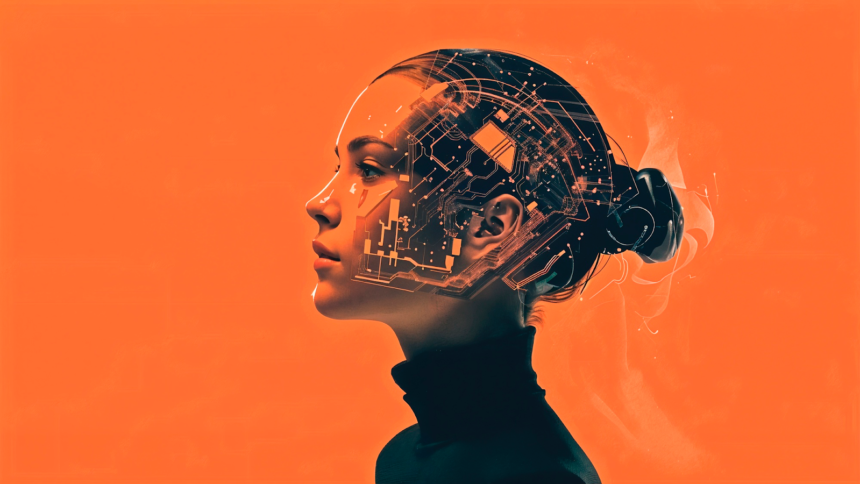
AI image generators are revolutionizing how creators produce visual content, making it faster and easier to generate high-quality images from simple text prompts. These tools are transforming industries by allowing marketers, content creators, and businesses to create stunning visuals with little to no design skills. In this article, we’ll explore the best AI image generators of 2025, with Invideo leading the charge for its simplicity, speed, and versatility in delivering professional-grade images.
Invideo – Effortless AI Image Generation for Every Need
Invideo is a top contender in the AI image generator space, providing users with a simple yet powerful tool to create stunning visuals from text prompts. Whether you’re a content creator, marketer, or business owner, Invideo helps you craft professional-quality images in seconds. From social media posts to product mockups, the tool’s versatility and intuitive interface ensure a smooth user experience.
- Invideo – Effortless AI Image Generation for Every Need
- DALL·E 3 – Realistic and Versatile Image Generation
- Midjourney – Creative and Stylized Imagery
- Canva AI Image Generator – For Quick, Branded Visuals
- Adobe Firefly – Professional AI Image Creation
- DeepAI – Simple and Free AI Image Generation
- Craiyon – Free and Unlimited AI Image Generation
- Stable Diffusion – Open-Source and Customizable
- Bing Image Creator – In-browser Image Generation
- Fotor AI Image Generator – Quick Editing and Refining
- How to Choose the Right AI Image Generator
- Conclusion
- FAQs
With a wide range of styles, including realistic and artistic looks, Invideo’s ai video app adapts to your needs. The platform also generates multiple image variations, providing flexibility in your creative process.
Why it’s great:
- Simple to use, even for beginners
- Generates high-quality images in seconds
- Offers multiple styles for diverse creative projects
DALL·E 3 – Realistic and Versatile Image Generation
DALL·E 3 by OpenAI is known for its ability to generate highly realistic and detailed images from text. Users can generate anything from realistic depictions of products to conceptual art and even abstract visuals. DALL·E 3 excels at capturing complex prompts, offering flexibility in design, making it an ideal choice for high-quality images in professional settings.
Why it’s great:
- Exceptional at generating realistic visuals
- Ideal for professional content creators
- Handles complex image descriptions with ease
Midjourney – Creative and Stylized Imagery
Midjourney is a creative AI image generator tool that produces imaginative and artistic visuals. It thrives in the creation of abstract art and unique designs, making it the go-to choice for creatives looking to push the boundaries of standard visual work. Midjourney’s approach is great for conceptual art, illustrations, and visuals that require a more personalized touch.
Why it’s great:
- Perfect for artistic and conceptual work
- Strong creative control over the design
- Generates highly stylized visuals
Canva AI Image Generator – For Quick, Branded Visuals
Canva’s built-in AI image generator helps users easily create and integrate visuals into their existing design projects. With a vast library of templates and the option to generate AI-based images from prompts, it’s ideal for social media managers, marketers, and small businesses looking for an easy design solution. Canva seamlessly blends image generation with its extensive design features, helping you create branded content in no time.
Why it’s great:
- Seamlessly integrates with design templates
- Quick image generation for marketing materials
- Ideal for creating social media visuals
Adobe Firefly – Professional AI Image Creation
Adobe Firefly brings powerful AI image generation tools into the Adobe ecosystem. This tool ensures that users can create high-quality, commercially safe images for advertisements, branding, and more. Known for its reliability, Firefly excels at creating visuals that meet professional standards, ensuring that businesses can use the images for commercial purposes without legal concerns.
Why it’s great:
- Professional-grade quality
- Suitable for commercial and professional projects
- Integration with other Adobe tools
DeepAI – Simple and Free AI Image Generation
DeepAI offers a straightforward and accessible AI image generator that requires no sign-up to get started. It’s great for users who need quick image generation without the need for advanced features. Though its images are simpler compared to more complex tools, it provides a free and accessible way to generate creative visuals on the fly.
Why it’s great:
- Free to use with no sign-up required
- Quick and easy for beginners
- Great for rough visual concepts
Craiyon – Free and Unlimited AI Image Generation
Previously known as DALL·E mini, Craiyon is a free and accessible tool for generating unlimited images. It’s a solid option for users who want to explore creative concepts or experiment without worrying about usage limits. The quality of the images is not as high as some other tools, but it is a great option for casual use or brainstorming.
Why it’s great:
- Free with no restrictions on usage
- Perfect for experimenting and brainstorming
- Great for quick visual ideation
Stable Diffusion – Open-Source and Customizable
Stable Diffusion offers an open-source model for AI image generation, allowing developers and advanced users to build on its capabilities. With the option to customize the model and integrate it into your workflows, Stable Diffusion is ideal for users who want more control over the image generation process. It’s a flexible tool for creating personalized and detailed images.
Why it’s great:
- Open-source for flexibility
- Ideal for developers and technical users
- Customizable to fit specific project needs
Bing Image Creator – In-browser Image Generation
Microsoft’s Bing Image Creator integrates seamlessly with Bing’s search engine, allowing users to generate images directly from the search interface. Powered by AI models, it offers a quick and easy way to create visuals without leaving your browser. This makes it an excellent tool for those who want a fast, efficient way to generate images while searching for content.
Why it’s great:
- Convenient in-browser image generation
- Quick and easy for everyday use
- Integrated with Bing’s search interface
Fotor AI Image Generator – Quick Editing and Refining
Fotor offers a combination of AI image generation and simple editing tools, making it ideal for users who want to tweak their visuals immediately after creation. Once an image is generated, users can adjust the colors, backgrounds, and other aspects within the platform, ensuring that the visuals are ready to use without needing a separate photo editing tool.
Why it’s great:
- Combines image generation with editing tools
- Great for refining images quickly
- User-friendly and accessible for beginners
How to Choose the Right AI Image Generator
When selecting an AI image generator, consider your specific needs. Are you creating images for business marketing or personal projects? Do you need highly realistic images, or are abstract art and creative designs your focus? Think about factors like ease of use, output quality, and customization options. Tools like Invideo are perfect for quick, professional-grade images, while platforms like Craiyon and DeepAI are ideal for free, casual use.
Conclusion
The world of AI image generators is rapidly expanding, with each tool offering unique strengths tailored to different creative needs. Whether you’re creating visuals for social media, business presentations, or personal projects, there’s a tool for every type of content. Invideo stands out for its user-friendliness, speed, and high-quality results, making it an excellent choice for anyone in need of quick, professional images.
FAQs
What is an AI image generator?
An AI image generator is a tool that creates images from text prompts using artificial intelligence. It allows users to generate visuals without manual design skills.
Which AI image generator is best for beginners?
Invideo and Canva AI Image Generator are ideal for beginners due to their intuitive interfaces and easy-to-use features.
Can AI image generators create professional-quality visuals?
Yes, tools like Invideo, Adobe Firefly, and DALL·E 3 produce high-resolution, professional-grade images suitable for commercial use.
Are free AI image generators effective?
Free tools like Craiyon and DeepAI are great for brainstorming and casual projects, but the image quality may be lower than paid platforms.
Can I customize images generated by AI tools?
Most AI generators, including Invideo, Canva AI, and Fotor, allow customization like color adjustments, style changes, adding personal elements, and refining visuals.
VISIT MORE: APEX MAGAZINE